How to Take Notes From a Lecture Recording (and Actually Use Them)
Stop transcribing every word. Learn how to take lecture recording notes faster, retain more, and turn them into study tools you’ll actually use.
You press play on a 50-minute lecture recording. An hour and a half later, you have three pages of half-copied bullet points, a sore wrist, and the creeping feeling you didn't actually learn anything. Sound familiar? Recorded lectures give you the gift of flexibility, but they also hand you a trap: the power to pause makes it way too easy to transcribe instead of think.
The fix isn't to watch more carefully or type faster. It's to treat a recording differently than a live lecture from the very first minute — preview like a detective, write like an explainer, and clean up like an editor. When you do, your re-watch time drops and your retention climbs.
Table of Contents
- Summary
- Why is taking notes from a recording harder than a live lecture?
- What should you do BEFORE you press play?
- Which note-taking method actually works best for recordings?
- How do you avoid just copying the slides?
- Should you pause, rewind, or speed up the recording?
- How do you clean up messy first-pass notes in under 15 minutes?
- How do you make those notes stick so you can use them in the exam?
- How can OneStudy help you take and use lecture recording notes faster?
- What does a realistic weekly workflow look like?
- Ready to stop re-watching and start actually learning?
Summary
According to University of Bristol's Study Skills guide, pausing to transcribe every slide can triple the time it takes to watch a single recorded lecture. According to UNC Chapel Hill's Learning Center, students who focus on paraphrasing and encoding during note-taking retain up to 40% more than those who focus on verbatim storage. Evidence from a peer-reviewed guide in PMC on slide-based lectures shows that 65% of students report speeding up recordings, yet comprehension drops significantly above 1.5x speed. According to Box's review of note-taking methods, there are 7 widely-used structured systems like Cornell, Outline, and Boxing that improve recall over unstructured notes. According to HoverNotes' 2026 guide to lecture note takers, students now juggle an average of 4 different video sources per week, from Panopto to YouTube tutorials.
Why is taking notes from a recording harder than a live lecture?
In a live lecture, you have to keep up. In a recorded lecture, you have infinite second chances, and that freedom works against you. The Bristol Study Skills blog calls it the classic mistake: you want to write just enough to understand later, but not copy the slides, yet you end up pausing every 20 seconds to get it perfect According to University of Bristol's Study Skills guide.
That pause-transcribe loop has three hidden costs:
1. It triples your time. A 45-minute recording becomes a 2-hour transcription exercise. You finish tired, not smarter.
2. It shifts you from encoding to storage. Columbia's advising guide makes a crucial distinction: note-taking should serve both external storage (having something to review) and encoding (actually learning while you write) According to Columbia College and Engineering advising. When you copy verbatim, you only get the first.
3. It destroys your attention. UNC's Learning Center notes that effective note-taking requires you to determine what to write down, not write down everything you see According to UNC Chapel Hill's Learning Center.
🎯 Key Point: Recordings aren't for perfect notes on the first watch. They are for understanding first, notes second. You have replay; use it as a learning tool, not a dictation machine.
The mindset shift that fixes everything: After this video, what should you be able to explain to a friend without looking? If you start with that question, your notes get shorter and better instantly.
How does live vs. recording note-taking actually differ?
| Live Lecture | Recorded Lecture (Done Right) |
|---|---|
| Forced continuous listening, you capture what you can | Intentional 2-pass listening: gist first, details second |
| No pauses, you learn to abbreviate and filter | Strategic pauses only for complex definitions or diagrams |
| Cue to what's important is the lecturer's voice/emotion | Cue to what's important is your preview + repeated ideas |
| Messy but present | Clean, structured, and tied to understanding |
What should you do BEFORE you press play?
Good notes start before you hit play. Five minutes of prep saves 30 minutes of pausing later.
1. Preview slides and learning objectives to build a scaffold. PMC's evidence-based guidelines for slide-based lectures emphasizes that students learn more when they know the structure in advance According to PMC's evidence-based lecture guide. Skim the slide titles, look for the learning objectives, and write down 2-3 questions you expect the lecture to answer.
2. Pre-build your page. Don't open a blank document. If it’s a dense theory lecture, set up a Cornell layout. If it’s a process or hierarchy, set up an Outline. Leave a column for vocab and a box at the bottom for a 3-sentence summary. That visual structure tells your brain what to listen for.
3. Set a clear, testable goal. Write at the top: "After this, I can explain ___. " For example: "After this, I can explain the difference between encoding and external storage and give one example of each." Now you have a filter for what matters.
💡 Tip: If you have a pile of Panopto, Zoom, and YouTube links for one course, don't start from scratch. OneStudy's AI Video Summarizer lets you paste a link and get summarized notes plus a full study set built from what was actually said, so you can preview the structure in 2 minutes instead of scrubbing through 50 minutes.
Which note-taking method actually works best for recordings?
There isn't one best method. There is a best method for this lecturer and you should stick to it for the whole course.
Cornell Method for separating cues, notes, and summary. Perfect for concept-heavy lectures. Divide the page: big right column for notes, narrow left column for cues/questions, bottom row for summary. While watching, you write in the right column. After, you write questions in the left. Box's guide highlights Cornell as one of the most effective systems for retention because it forces you to retrieve According to Box's best note-taking methods guide.
🔑 Takeaway: Cornell works brilliantly for recordings because you can do the right column on first watch, and the left column and summary during your 10-minute tidy later.
Outline Method for hierarchical slide-based lectures. This is your default if your professor reads off structured slides. Use indents: Main topic → sub-topic → detail/example. It mirrors how most slide decks are built, so you stay aligned without copying According to PMC's evidence-based lecture guide.
Boxing or charting method when lecturers compare concepts. If the lecture is "Theory A vs Theory B" or a timeline of processes, draw boxes or a table. Box categories are great for visual separation and for forcing you to compare, not just list.
⚠️ Warning: Switching methods every week costs you mental energy. Pick ONE system per course based on how that lecturer structures their talks, and use it for all recordings. Consistency beats novelty.
If you want to shortcut the setup, OneStudy's AI Note Taker can turn your recording, audio file, or messy braindump into clean, organized, structured notes with knowledge checks already embedded — so you start with the right scaffolding instead of a blank page.
How do you avoid just copying the slides?
The 80/20 rule: slides are 20% of the value, the lecturer's explanation is 80%. Your job is to capture the 80%.
UNC's tips are clear: paraphrase, don't transcribe. Good notes are in your own words because putting it in your words is the moment you check if you understood According to UNC Chapel Hill's Learning Center.
Three tactics that work for recordings:
1. Listen first, write second. Let the lecturer finish a slide/thought (30-90 seconds), then write one or two sentences explaining it like you would to a friend. If you can't, rewind just that segment — not the whole lecture.
2. Leave visual gaps intentionally. When a diagram, graph, or pathway appears, don't pause to draw it perfectly. Write "[DIAGRAM: feedback loop with cortisol]" and keep listening. Draw it from memory during your tidy. If you fail, now you know what you didn't encode.
3. Use the "Because, For Example" test. For every bullet point you write, try to add "because..." or "for example...". That forces you past the slide text.
💡 Tip: Staring at a perfect slide and writing nothing feels wrong, but it's often right. If you already understand the slide, don't write it. Write the confusing part the lecturer added verbally — that's what won't be on Canvas later.
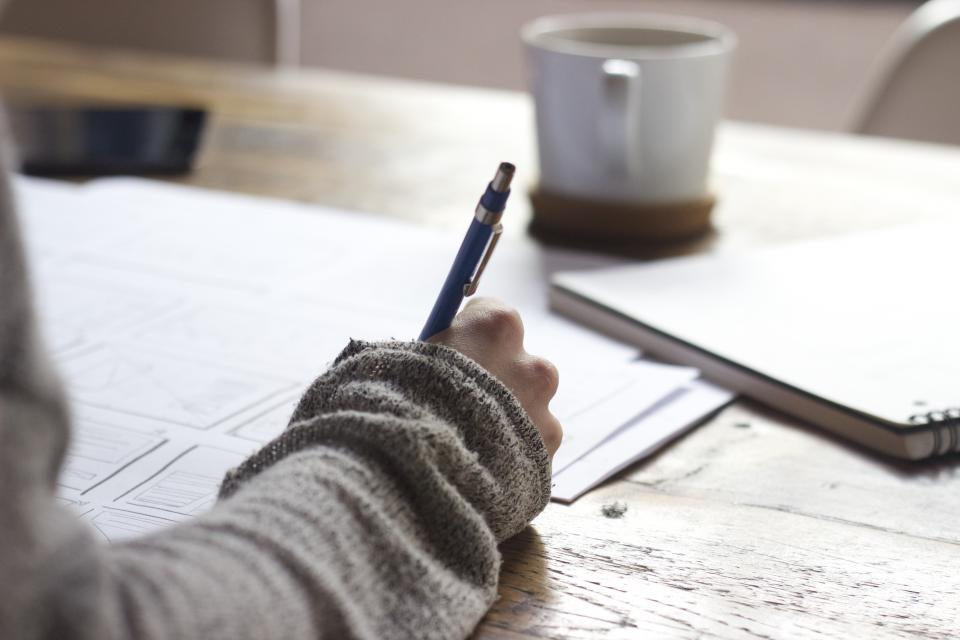
How do you know your notes are too close to the slides?
Ask: Could someone who never watched the recording learn this topic from my notes alone? If your notes are just slide titles, the answer is no. If they have paraphrased explanations and your own examples, you're doing it right.
Should you pause, rewind, or speed up the recording?
Yes — but with rules. Evidence-based pacing matters more than personal preference.
The research on speed: HoverNotes notes many students default to 2x for everything to save time, but comprehension and note quality drop sharply According to HoverNotes. PMC's guidelines suggest variable speed is smarter: use faster speed for review or familiar context, and normal speed for dense or new material According to PMC's evidence-based lecture guide.
Use this:
- 1.25x for review sections or stories/announcements
- 1x for new definitions, derivations, or mechanisms
- 0.75-1x for diagrams you are trying to understand for the first time
- Never 2x for first-watch learning
When to pause vs. when to keep flowing:
Pause for: a dense definition you need to paraphrase, a formula you need to copy correctly, a diagram you need to label.
Don't pause for: every bullet, an example you already get, a slide you can screenshot and annotate later.
The 2-pass technique that kills the triple-time trap:
Pass 1 (Gist, no heavy notes): Watch at 1.25x with only headings and question marks. Mark 3-4 timestamps where you went "huh?".
Pass 2 (Targeted notes, 15 minutes): Rewind ONLY to those timestamps and write clear explanations for those hard parts. The Bristol guide explicitly warns against tripling your time with constant pausing and recommends this selective rewind approach instead According to University of Bristol's Study Skills guide.
🎯 Key Point: If you have 4 lectures this week, you don't have time to transcribe them all perfectly. You have time to understand them all and deeply note the 20% that confused you.
"The process of taking notes can also facilitate encoding, or learning the material in the first place, by encouraging increased attention and focus." — Columbia College and Columbia Engineering Advising
How do you clean up messy first-pass notes in under 15 minutes?
Your first-pass notes should be messy. The magic is in the 10-minute tidy immediately after you press stop. UNC suggests the best note-takers add, reorganize, and summarize right after lecture while memory is hot According to UNC Chapel Hill's Learning Center.
Do this every single time:
1. The 10-minute block (set a timer):
- Minute 0-3: Fill any "[DIAGRAM]" gaps from memory, then check the recording.
- Minute 3-7: Turn vague bullets into sentences. Add one concrete example per main idea from the lecture.
- Minute 7-10: Write a 3-sentence summary at the bottom. What was this lecture actually about? What are the 2 must-know ideas?
2. Turn margin questions into test questions. If you wrote "what is encoding vs storage??" in Cornell's left column, rewrite it as "Explain the difference between encoding and external storage and why both matter." That's now a flashcard prompt.
3. Use a 3-color highlight system (not 6):
- Yellow = Must-know for exam
- Blue = I'm still confused
- Pink/Red = Lecturer said "This is important / This will be on the exam / You need to know this"
🔑 Takeaway: If you don't tidy that day, your notes fossilize into something you can't use. Ten minutes now saves an hour of re-watching before the final.
If your first pass is audio-mumbled or half-structured, upload it to OneStudy. OneStudy's AI Note Taker & Lecture Note Taker will clean it into organized notes with embedded knowledge checks, so your 10-minute tidy becomes a 2-minute review instead of a rewrite.
How do you make those notes stick so you can use them in the exam?
Notes you never retrieve are just a diary. The goal is active use.
Don't just re-read: close and retrieve. UNC's guide emphasizes testing yourself rather than passively reviewing According to UNC Chapel Hill's Learning Center. Cover your notes and try to explain that tough diagram. Write what you remember. Then uncover and fill gaps. That's retrieval practice, and it's vastly more effective than highlighting again.
Link recording notes to the rest of the course. Don't let lectures live in isolation. Add a line: "Connects to textbook Ch 4 p.112" or "Same concept as problem set 2, Q3." This builds a web instead of a pile.
Spaced review beats binge review. Don't cram four recordings the night before. Review like this:
- 24 hours after: 10-min self-quiz from your margin questions
- 3 days after: Try to recreate the summary from memory
- 7 days after: Mix questions from multiple lectures
"Efficient notetaking is an essential skill to have. It's not always as easy as it seems!" — University of Bristol Study Skills Blog
This is where most students fall off, because manual flashcards and quizzes take time to make. That's exactly what you can automate. OneStudy's flashcard and quiz generator can auto-generate a deck from your lecture notes — images, diagrams and LaTeX math included — and move cards from Unfamiliar to Learning to Mastered as you go. And OneStudy's AI Quiz Generator builds exam-grade multiple choice with deliberately plausible distractors so you test real understanding, not recognition.
If you learn better by listening, turn that cleaned set into audio. OneStudy's AI Podcast Maker converts any note set into a natural-sounding study podcast for commuting, the gym, or walking to class — revision without screen fatigue.
💡 Tip: For visual lectures (anatomy, circuits, maps, cell cycles), don't make text flashcards. Upload your labelled diagram to OneStudy's GameLab and it reads the labels off the image, blanks them, and turns it into an interactive labelling game you replay until it's second nature.
How can OneStudy help you take and use lecture recording notes faster?
You don't need 12 apps for one workflow. You need one place where your recording becomes understanding, then memory.
Here’s how students actually use OneStudy for lecture recordings:
For messy, half-finished first-pass notes: AI Note Taker & Lecture Note Taker solves the "I typed while half-listening" problem. Upload your audio, recording, or braindump and get clean, structured notes with knowledge checks embedded in the reading, so you can check understanding before you move on.
For YouTube, Panopto, and recorded class overload: AI Video Summarizer solves video overload. Paste the link and get summarized notes plus a full study set built from what was actually said, not just the auto-captions.
For "I wrote it down but don't get it": Teach Me is OneStudy's flagship and biggest differentiator. It turns your own lecture material into a guided, interactive lesson that teaches you step by step, highlights key terms inline, and drops multiple-choice and fill-in checks right into the lesson so you prove you understood each part before moving on. It's for replacing a missed lecture or finally understanding something you transcribed.
For forgetting definitions and terms: AI Flashcard Maker solves leaky memory with auto-generated spaced-repetition cards from your lecture notes, diagrams included, with mastery tracking.
For passive re-reading: AI Quiz Generator and Fill in the Blanks turn your notes into active recall. You get exam-grade MCQs with plausible distractors and contextual fill-in-the-blank where you recall terms inside sentences, with lenient AI grading and hints.
For no time to revise: AI Podcast Maker turns any note, PDF, or lecture set into an engaging podcast you can listen to hands-free. Perfect for auditory learners and for making use of dead time.
🔑 Takeaway: Upload once, study everywhere. In OneStudy, one upload creates a single study set containing Notes, Flashcards, Multiple Choice, Fill in the Blanks, Written Test, Final Test, Podcast and Teach Me — with mastery tracked across all of them — so your recording work feeds directly into exam prep.
Related Reading
- Browse more study strategies on the OneStudy blog
- Learn how to turn any video course into a full study set with AI Video Summarizer
What does a realistic weekly workflow look like?
Forget the perfect student aesthetic. Here's a workflow that survives a real week with 3-4 recordings:
Day of lecture (50 minutes total):
- 5 min: Preview slides + write goal question
- 30-35 min: Pass 1 watch at 1-1.25x with minimal notes + mark 3 confusing timestamps
- 10 min: Tidy + 3-sentence summary + upload to OneStudy
- Optional: Generate Podcast for tomorrow's commute
Next day (15 minutes per recording):
- 10 min: Go through Teach Me for that set — this is where you catch the "I wrote it but don't get it" gaps
- 5 min: Flip flashcards for just that lecture. Mark Unfamiliar vs Mastered.
Weekend (45 minutes cumulative):
- 20 min: Mixed quiz from OneStudy AI pulling all recordings that week — find weak spots, not just strong ones
- 15 min: Redo any diagrams from memory in GameLab or on paper
- 10 min: Look at confused (blue) highlights and ask OneStudy's AI tutor which has actually read your uploaded material, so answers are grounded in your syllabus, not generic internet.
"The challenge is to take lecture notes that serve both external storage and encoding functions without overloading your working memory." — Columbia College and Engineering Study Guide
What does this look like without vs with smart support?
| Without OneStudy | With OneStudy |
|---|---|
| Transcribe 50-min lecture in 120 min, still confused | Watch for gist in 35 min + 10-min targeted rewind |
| Spend 60 min making flashcards and questions | Auto-generate flashcards, quizzes, and blanking exercises instantly |
| Re-watch everything before exam | Review only low-mastery topics tracked across all modes |
| Notes live in 4 different apps and folders | One study set = Notes, Flashcards, Quizzes, Teach Me, Podcast, Test |
⚠️ Warning: If your current system needs 3 hours per recording, you will not keep it up past week 3. The best system is the one you'll actually repeat every week when you are tired.
Ready to stop re-watching and start actually learning?
Let's recap the core loop: preview to build a scaffold, pick one method per course and stick to it, listen-then-write instead of transcribe, tidy for 10 minutes right after, and use your notes by retrieving, not re-reading.
You don't need to be perfect at note-taking. You need to be consistent at turning recordings into understanding you can use in the exam room three weeks from now.
If you want to cut the busywork out of that loop, upload your next lecture recording to OneStudy and let it build your clean notes, Teach Me lesson, flashcards, quizzes, and podcast in one go. You get the structured scaffolding before you even press play, the knowledge checks while you learn, and the spaced review after — all from the material your professor actually said.
Start free with your next recording — paste a YouTube or Panopto link into OneStudy's Video Summarizer or drop your audio into OneStudy's Lecture Note Taker, and you’ll have a usable study set in seconds instead of another evening of pausing and typing.
Sources
- How I make notes: From recorded lectures – Study Skills – University of Bristol
- Effective Note-Taking in Class – The Learning Center – UNC Chapel Hill
- Evidence-Based Guidelines for Recording Slide-Based Lectures – PMC
- AI Lecture Note Taker | From Lectures to Notes in Seconds | Knowt
- The Best Note-Taking Methods & Strategies – Box, Inc.
- 7 Best Lecture Note Taker Apps for Students (2026 Guide) – HoverNotes
- Effective Note-taking in Lectures – Columbia College and Columbia Engineering
Image credits
Photographs in this article are Creative-Commons or public-domain images, used under the licences linked below.
Stop studying harder. Start studying smarter.
Drop in your notes, PDFs, slides, or a lecture video and OneStudy instantly builds the flashcards, quizzes, and a 24/7 AI tutor that turn this advice into active practice.
Start studying free →No credit card · Used by students at leading universities
Related articles
How to Self-Edit an Essay Before Turning It In
Stop losing marks on avoidable mistakes. Use this quick self-editing checklist to tighten structure, fix errors, and polish your essay before you submit.
9 Science-Backed Study Techniques That Actually Work (And How to Make Them Stick)
Stop re-reading and highlighting. These 9 research-backed study techniques use active recall and spaced repetition to help you learn faster and remember longer.